
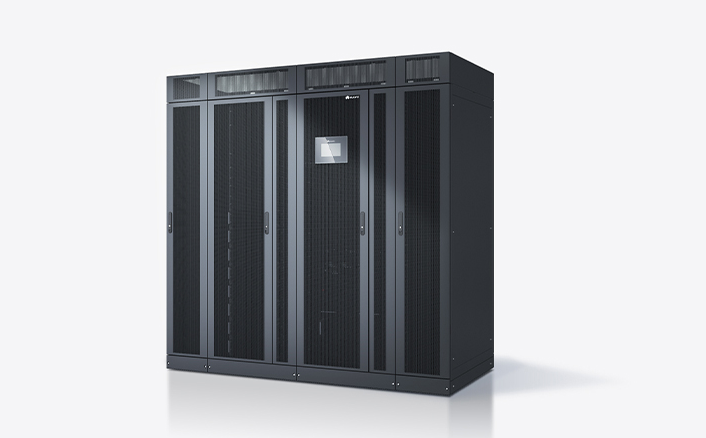
In today’s technology-driven world, consistent and reliable electricity is more critical than ever. Whether it’s for homes, offices, data centers, or industrial applications, sudden power interruptions can lead to significant losses. This is where a UPS for power supply comes into play, acting as a vital safeguard against electrical disturbances.
What is a UPS?
A UPS, or Uninterruptible Power Supply, is an electrical device designed to provide backup power during power outages or voltage fluctuations. It ensures that connected devices, such as computers, servers, or industrial equipment, continue functioning without interruption, preventing data loss, equipment damage, and operational downtime.
Unlike conventional generators, a UPS activates instantly, providing continuous power without any noticeable delay. It also stabilizes voltage and filters out electrical noise, making it essential for sensitive electronic equipment.
See also: Different Types of Prefab ADUs Homes: A Brief Guide
How Does a UPS Work?
A UPS works by drawing power from the main electrical source and storing it in an internal battery. When the main power supply fails, the UPS automatically switches to battery mode, delivering uninterrupted power to connected devices. Modern UPS systems often include advanced features such as:
- Voltage regulation
- Surge protection
- Battery health monitoring
- Automatic shutdown capabilities
By converting stored energy into usable electricity, a UPS ensures that critical operations can continue seamlessly during blackouts or brownouts.
Types of UPS for Power Supply
UPS systems come in various types, each suited for specific applications:
- Offline/Standby UPS
- Provides basic protection against power outages.
- Ideal for small home offices and personal computers.
- Provides basic protection against power outages.
- Line-Interactive UPS
- Regulates minor voltage fluctuations without switching to battery mode.
- Suitable for small businesses and medium-sized office equipment.
- Regulates minor voltage fluctuations without switching to battery mode.
- Online/Double-Conversion UPS
- Provides the highest level of protection by continuously converting power to DC and back to AC.
- Perfect for data centers, hospitals, and industrial machinery requiring uninterrupted, stable power.
- Provides the highest level of protection by continuously converting power to DC and back to AC.
Benefits of Using a UPS for Power Supply
Investing in a UPS offers multiple advantages:
- Uninterrupted Power: Keeps essential devices running during outages.
- Data Protection: Prevents data loss by giving users time to save work and shut down systems safely.
- Equipment Longevity: Protects sensitive devices from voltage spikes, surges, and fluctuations.
- Operational Continuity: Ensures businesses and critical operations remain functional.
- Peace of Mind: Eliminates anxiety over unexpected power failures.
Applications of UPS Systems
UPS systems are versatile and widely used across different sectors:
- Home: Protects personal computers, Wi-Fi routers, and home entertainment systems.
- Office: Safeguards servers, workstations, and networking equipment.
- Industrial: Maintains uninterrupted operation of machinery and control systems.
- Healthcare: Ensures life-saving medical equipment operates without interruption.
- Data Centers: Prevents downtime and data corruption for critical servers and storage systems.
How to Choose the Right UPS
Selecting the appropriate UPS for power supply depends on several factors:
- Power Capacity: Measured in VA (Volt-Amps) or kVA; must match the total load of connected devices.
- Battery Backup Time: Determines how long the UPS can sustain devices during outages.
- Type of UPS: Choose between offline, line-interactive, or online UPS based on sensitivity and criticality of equipment.
- Features: Look for surge protection, voltage regulation, and LCD display for easy monitoring.
- Budget: Balance features, capacity, and cost for the best value.
Maintenance Tips for UPS
Regular maintenance ensures optimal UPS performance:
- Test the battery periodically and replace aging batteries.
- Keep the UPS in a cool, dust-free environment.
- Avoid overloading the UPS beyond its rated capacity.
- Clean vents to prevent overheating.
- Monitor UPS alarms and LED indicators for potential issues.
FAQs About UPS for Power Supply
Q1: How long can a UPS supply power?
A UPS typically provides power for a few minutes to several hours, depending on its capacity and battery size. It is primarily designed to allow safe shutdown rather than long-term operation.
Q2: Can a UPS replace a generator?
No, a UPS is not meant for long-duration power supply. It bridges the gap between power loss and generator startup or safe device shutdown.
Q3: Do all UPS systems support voltage regulation?
Not all UPS types provide voltage regulation. Line-interactive and online UPS systems offer this feature, whereas basic offline UPS units do not.
Q4: How often should UPS batteries be replaced?
Typically, UPS batteries last 3–5 years. Regular testing ensures they remain functional and reliable.
Q5: Can a UPS protect against lightning strikes?
A UPS provides limited surge protection, but it is not a replacement for dedicated lightning or surge protection devices.
Conclusion
A UPS for power supply is an indispensable solution for ensuring uninterrupted power and protecting sensitive electronic equipment. From homes to large data centers, investing in the right UPS system not only safeguards devices but also prevents operational downtime and data loss. By understanding your power needs, choosing the appropriate UPS type, and maintaining it properly, you can ensure reliable, stable, and continuous electricity for all your essential devices.


